Skip to content
Founding beta · 30 households

Know who fed, walked, or medicated your pet without asking the group chat.

DidWeFeed keeps everyone in your household in sync with one-tap care logs, reminders, and a shared history.

Your phone

Only for your beta invitation. See our privacy policy.

Free during the beta · iPhone & Android · no spam

Live in your household

Breakfast

Completed by Alex at 8:04

Alex's phone

Live in your household

Breakfast

Completed by Alex at 8:04

Mila is viewing this task too

Synced just now

One update, visible on every device — with a heads-up when two people may act at once.

Open the app. Get the answer. Carry on.

The shared view answers the moments that usually trigger another message, call, or guess.

Was it already done?

See who completed a meal, walk, or dose — and the exact time.

Breakfast · Alex · 8:04

Is someone doing it now?

Get a live heads-up when 2 people may be acting on the same open task.

Mila is viewing this task

What changed this week?

Find notes, symptoms, walks, and care events in one searchable timeline.

Shared history · always current

From “does anyone know?” to one calm glance

Chat records conversations. DidWeFeed records care — clearly, consistently, and for every invited caregiver.

Group chat

Another check-in

Did anyone feed Choci?

I think so — this morning?

Who can walk him tonight?

The answer is buried between messages.

DidWeFeed

Live household view

Breakfast

Alex · 8:04

Medication

Mila · 8:12

Evening walk

Due at 18:00

Everyone sees what happened and what is still due.

Built for real households, not perfect routines

If more than one person shares the caretaking, DidWeFeed keeps everyone on the same page.

New-puppy & new-pet homes

A new puppy means a brand-new routine and a lot of “did you already feed her?” DidWeFeed turns the whole household’s feeding, walks, and training into one shared rhythm — so the first weeks feel calm, not chaotic.

Pets on meds & senior pets

When a missed dose or a double dose actually matters, guessing isn’t good enough. One glance shows whether today’s medication was given, by whom, and when — and the history is ready to hand to your vet.

Couples, families & pet sitters

Partners, children, relatives, flatmates, and sitters all see the same live checklist. Invite as many caregivers as your household needs — sharing stays free.

Everything about your pet. None of the paperwork.

The daily loop is still one tap. Underneath it sits the whole picture — chip number to last month’s vet bill — waiting quietly for the day you actually need it.

Daily tasks, care events & live sync

Schedule custom daily tasks — meals, meds, walks, or grooming — with species presets for dogs and cats. One tap logs the care event live for the whole household with timestamps, notes, and photos, plus a live warning when two people may be acting at the same time.

Smart GPS walks & activity analytics

Track live routes, distance, and pace on a map. Set a private home radius for departure nudges when heading out and automatic completion upon return. Review weekly distance, session durations, typical walk hours, and active streaks.

Health analytics: weight, digestion & vitals

Monitor weight trends and growth curves with delta alerts against your pet’s baseline. Track stool consistency using the Bristol Scale (1–7) with a 1-tap “+ 1” counter, and spot changes in 30-day feeding and mobility rhythms early.

The pet file, vaccines & medication

Microchip, EU passport, insurance, and emergency clinic info in one place. Keep vaccinations and deworming up to date with due-soon alerts, and track medication supplies with automatic bottle countdowns so you never run out.

Care timeline & calendar sync

A searchable chronological timeline showing who completed every care event, with photos and notes. Fix typos and edit entries anytime, maintain monthly care streaks, and sync upcoming appointments directly into Apple, Google, or Outlook calendar.

Vet-ready reports & expense tracking

Export structured PDF health reports with vaccine tables, visit notes, and attachments. Track pet expenses by category and month in EUR, CHF, GBP, or USD and export a clear expense summary.

Three taps to coordinated. Then it builds itself.

  1. 01

    Start a household with routine presets

    Add your pet — a name, a photo — and pick a routine preset for dogs (walks, meals) or cats (wet food, litter box). Under 30 seconds, no long forms. Nobody asks for a microchip number on day one.

  2. 02

    Bring your people in

    Invite your partner, family, or dog walker with a code or QR. They see the same live checklist.

  3. 03

    Tap to log

    Everyone checks tasks off with one tap. The household sees who did what, and when, instantly — and the happiness ring fills as the day goes.

  4. 04

    Watch the file fill itself

    Weeks pass and a real record builds underneath: the weight curve, the walk streaks, what the vet said in March, what the year actually cost. Add the passport details whenever you like — or the evening before the vet.

Simple pricing

Free for every household during the beta. The core “who fed the dog?” loop stays free forever — Premium extras come after the beta.

Free during beta

Free

Every household, from day one

€0

  • The full “who fed the dog?” loop
  • Real-time sync for unlimited household members
  • Up to 2 active pets on the free plan
  • Live double-feed warning
  • Daily care reminders
Join the Beta
After the beta

Premium

Busy families, roommates & couples

Soon

  • Unlimited pets
  • Full care history
  • Vet PDF exports
  • Medication schedules
Beta testers hear first

During the beta everything is free — we want the first households to really use the app before anyone pays. Beta testers hear about pricing first, and 5 active testers get Lifetime Premium for free.

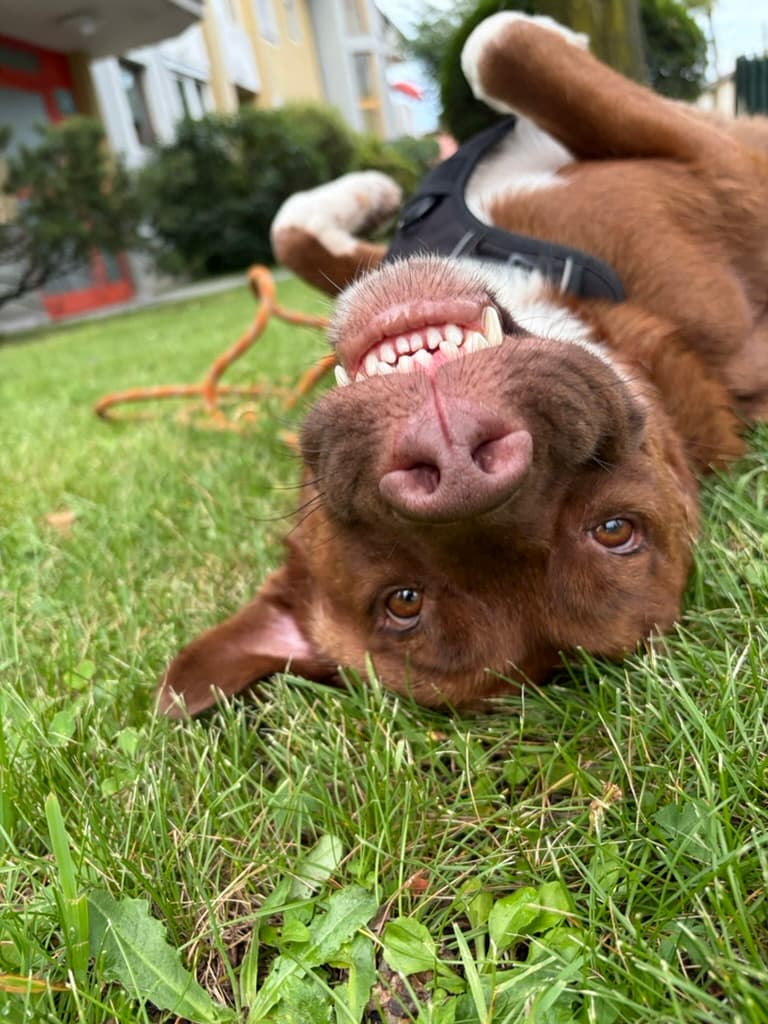
Choci, the dog who inspired DidWeFeed

Born from a real question

Built for Choci — and every household like ours.

Andreas and his partner kept asking whether Choci had been fed or given his medication. DidWeFeed began so that answer would never disappear in a chat again.

Read the founder story

Your household’s data stays your household’s

Built privacy-first for families in the EU and DACH — no surveillance, no surprises.

You own your data

Care logs belong to your household and no one else. We don’t sell data or share it with advertisers — ever.

Clear location boundaries

Your private home radius stays on your device. When you record a GPS walk, its route and statistics are stored securely so your household can see that shared walk history.

Export & delete anytime

Export your full care history as a PDF, and delete your account and all its data from inside the app whenever you choose.

No hidden tracking

No third-party ad trackers and no hidden analytics following you around. The app does its one job and nothing else.

Practical help for shared pet care

Concrete guides for the moments when coordination matters most.

Questions, answered

Do I need an account to start?

You sign in with Apple, Google, or email — then create your household in seconds. No breed profiles or lengthy setup.

How does the double-feed warning work?

Every tap syncs instantly, so the checklist shows what’s already done and helps prevent duplicate care. In the rare case two of you open the same pet while a meal or dose is still unchecked, you both see a live banner. It is a coordination aid, not a guarantee against an error.

Can my whole household use it?

Yes. Invite anyone with a code or QR — partners, family, flatmates, dog walkers. Everyone shares the same live checklist.

How does smart walk detection work?

Set a private home radius on your device. If you leave while a walk is due, DidWeFeed can ask whether you want to start tracking; returning home can finish the session and check off the task. The home radius stays on your device. Recorded walk routes and statistics are stored securely so household members can see the shared walk history.

Can I sync with Apple Calendar or Google Calendar?

Yes! Any scheduled care routine, vet appointment, vaccination renewal, or medication refill can be synced directly to Apple Calendar, Google Calendar, or Microsoft Outlook with one tap, or exported as a universal .ics file.

So is this a simple tracker or a full pet record?

Both, and the order matters. What you use every day is one tap — that never gets slower. The pet file (chip and passport numbers, vet and insurance contacts, weight, vaccinations, visits, costs) sits one tap away from the home screen and stays empty until you want it. Nothing is required, and nothing you skip nags you.

What’s actually in the pet file?

Identity and paperwork: microchip and EU passport numbers, birthday, sex, neutered. Contacts: your vet, the emergency clinic, the insurance policy. Health: weight over time, vaccinations and worming with due warnings, digestive stool score trends (Bristol scale 1–7), and full vet visits with diagnoses and photos of the paperwork. Money: what you spend, by category and month. Plus 30-day trends from your own logs — meals a day, typical mealtime, walk distance and pace.

Never wonder “did we feed the dog?” again

Get your whole household on the same page. DidWeFeed really shines once there are two of you — so bring the person you share your pet with, and start logging together. A year from now you’ll have the whole story of your pet, and you won’t remember writing it.

Founding beta · 30 households

Your phone

Only for your beta invitation. See our privacy policy.